Investing strategy
Settings (⭐ premium TradingView)#
If you are using the free version of TradingView, you can still use the premium preset by opening your chart on the daily timeframe. Note that execution signals may have a slightly lower expected return.
| Strategy | Settings | Timeframe |
|---|---|---|
| Investing | 6h, 1D, 1W | 1D |
Detailed setup instructions (⭐ premium TradingView)#
Open the chart for the asset you would like to invest in on the daily timeframe.
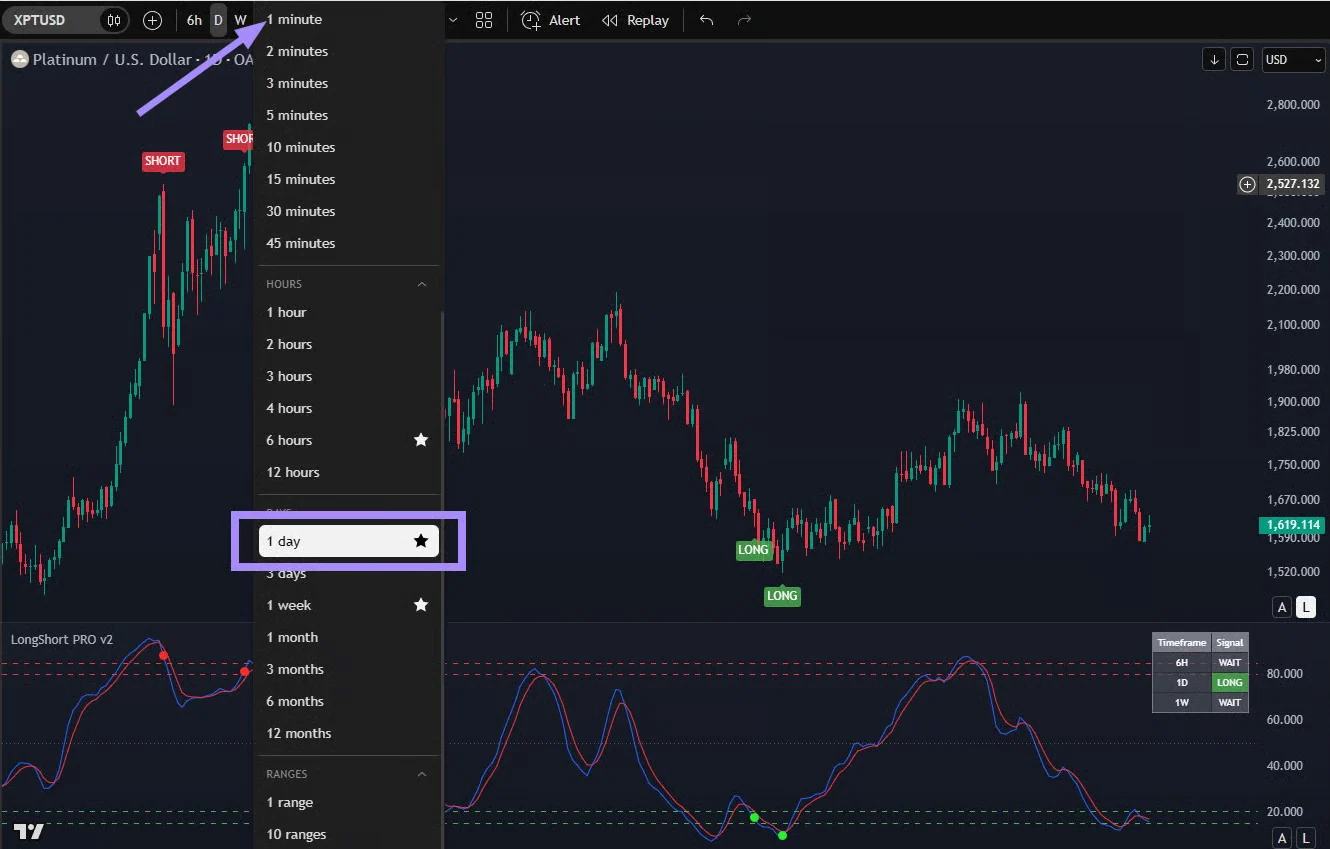
In the indicator settings, select:
- Show dots ONLY on selected TFs
- Enable TF – 6 hours, 1 day, and 1 week
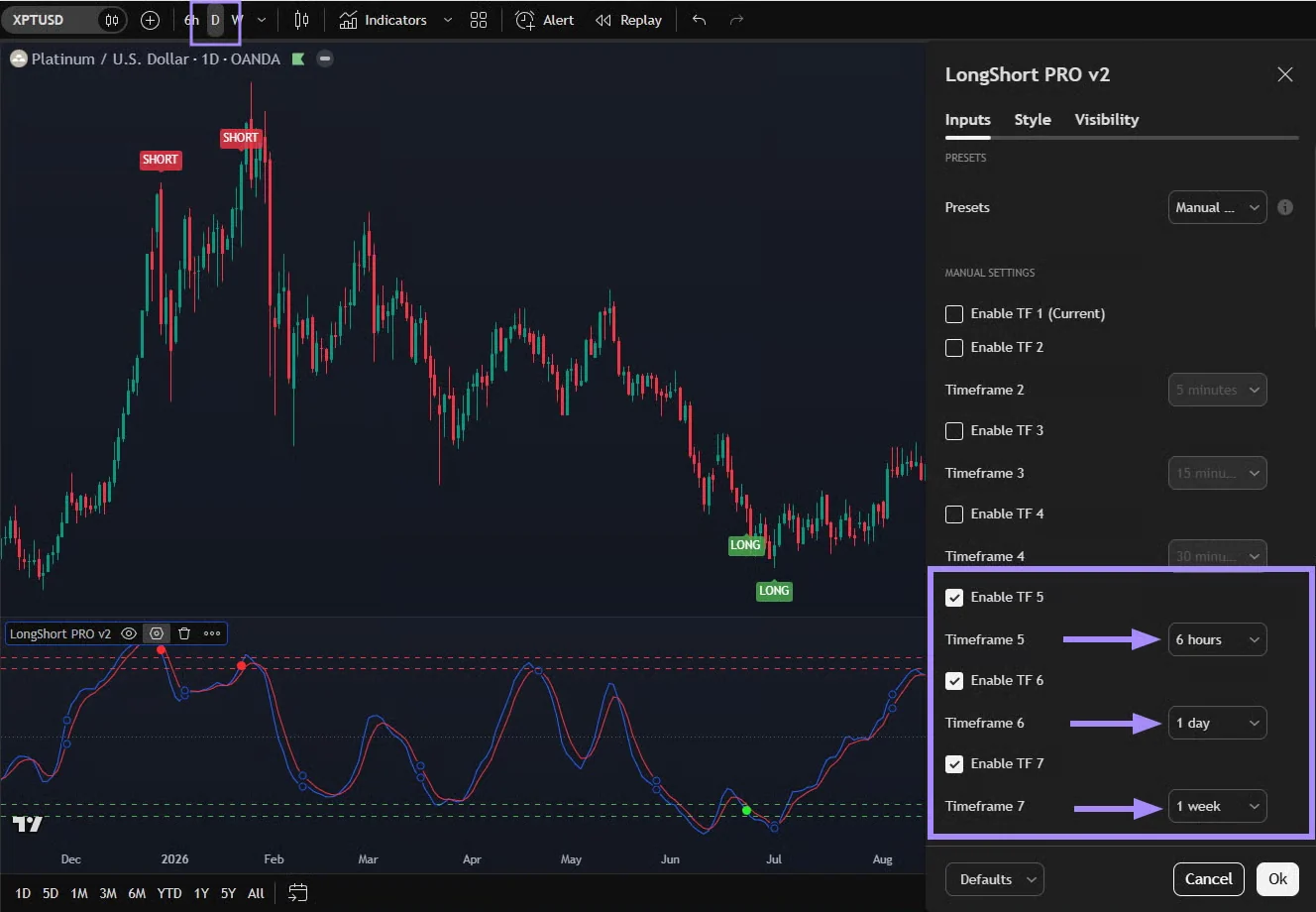
When using the free TradingView subscription, replace the 6-hour timeframe with the 4-hour timeframe.
When the daily candle for the asset closes and a green LONG signal appears, you can open a long-term investment position or DCA.
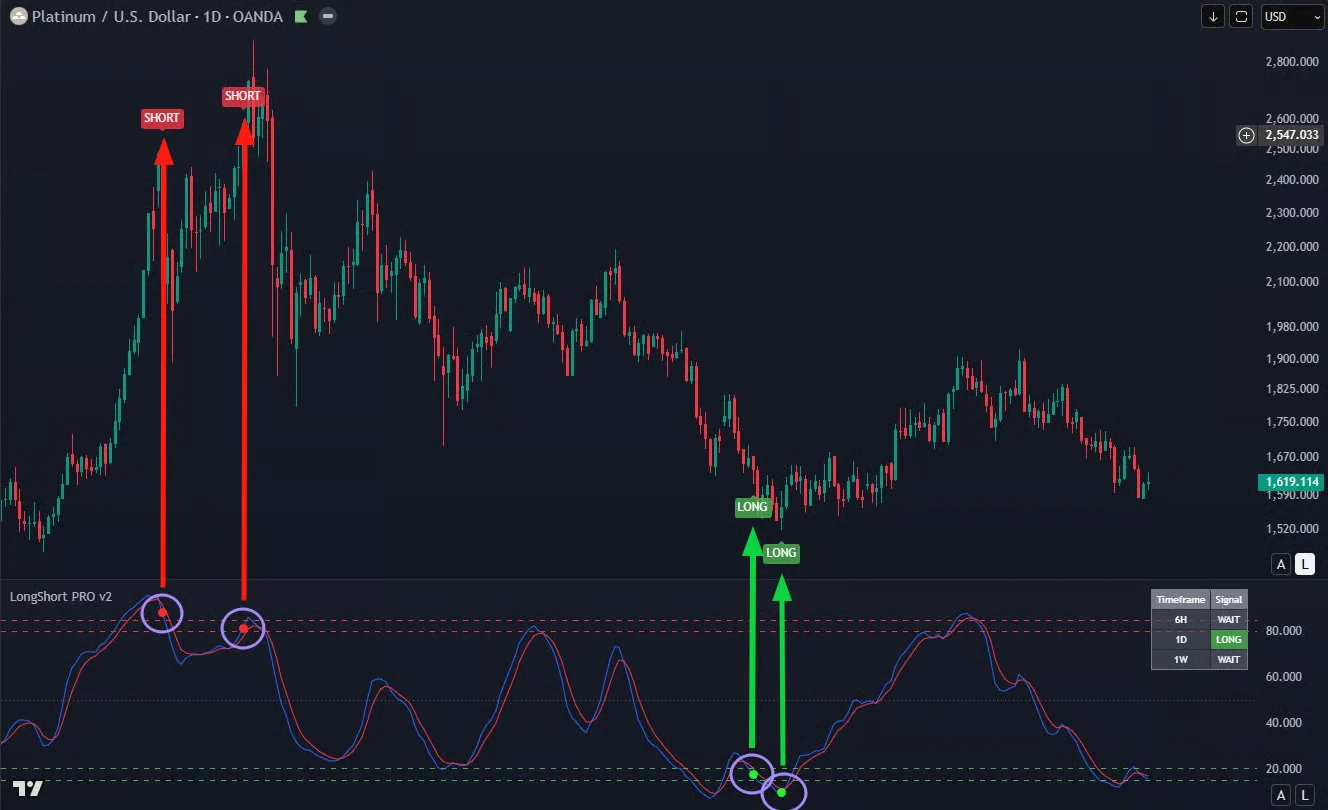
When the candle closes and a red signal appears, you can consider partially or fully taking profit.
A signal may turn on and off until the daily candle closes. It is important to wait for the signal to hold at the daily candle close so that it is confirmed.
These settings will help you find optimal entry points in assets for long-term investing. They will definitely prevent you from entering positions at the market peak and will tell you when the market is already overheated and it's time to consider locking in your gains.