Setting up alerts
Once you have set up your strategy, you can enable a notification for signals appearing on the chart with your settings.
How to create an alert#
Set up the chart according to the instructions or your personal strategy.
Next to the indicator name, click the three dots.
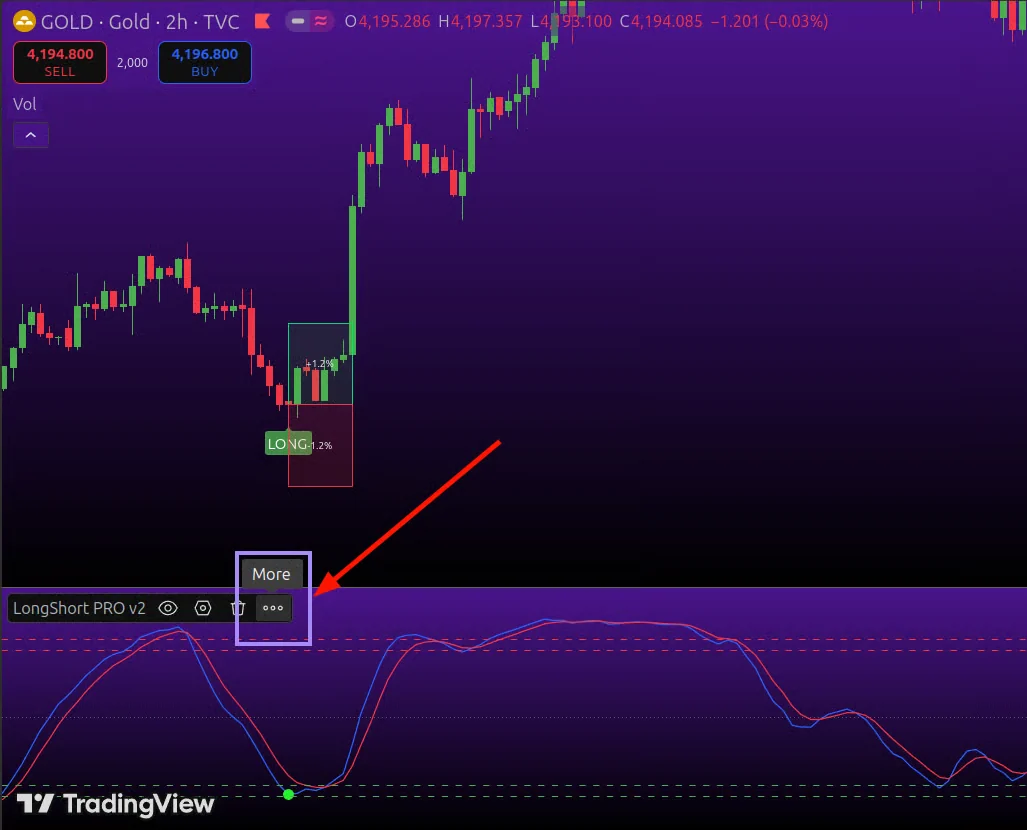
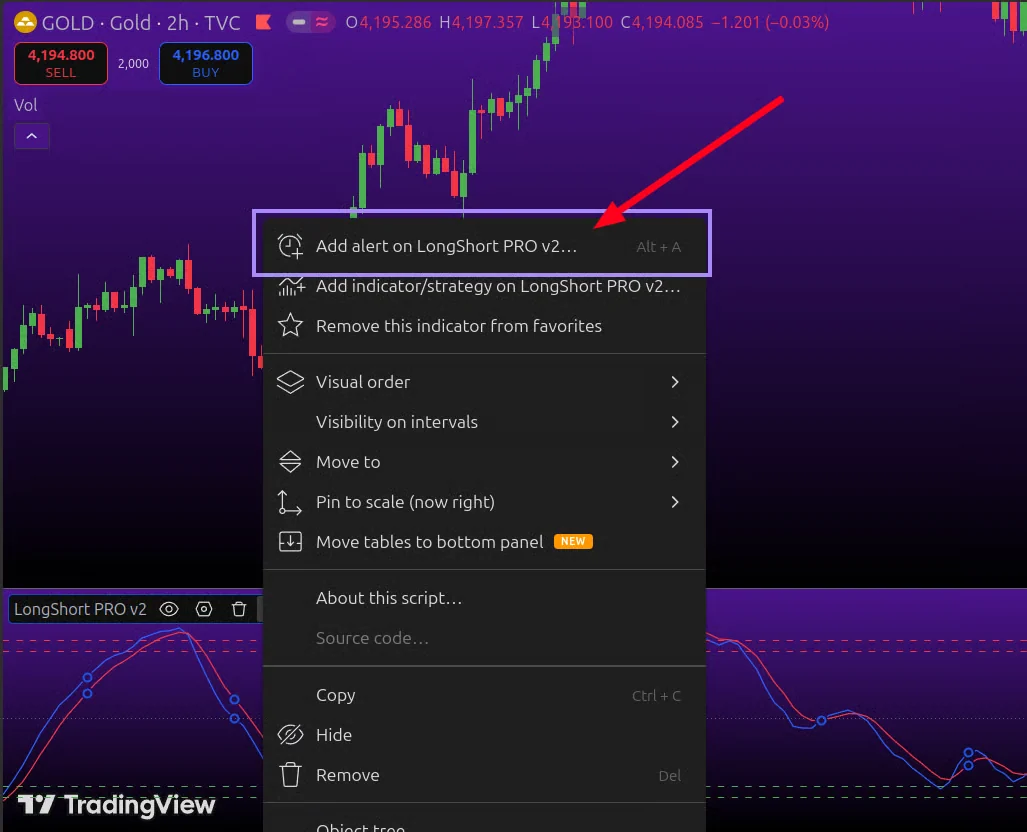
Select "Add alert on LongShort PRO...".
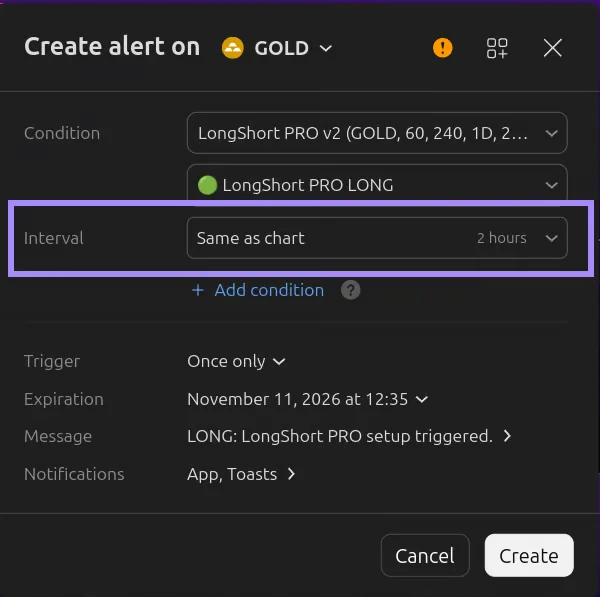
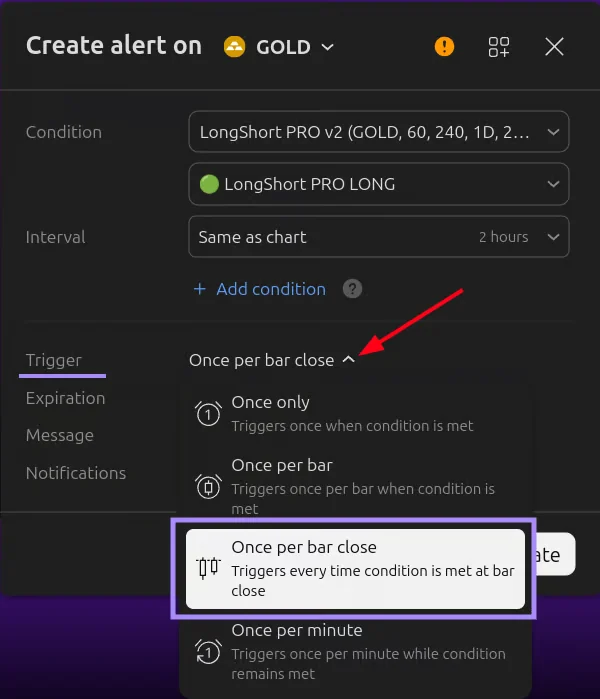
Next, select which signal you want to get alerts for – green LONG or red SHORT. Don't change the interval; leave it as on the chart.
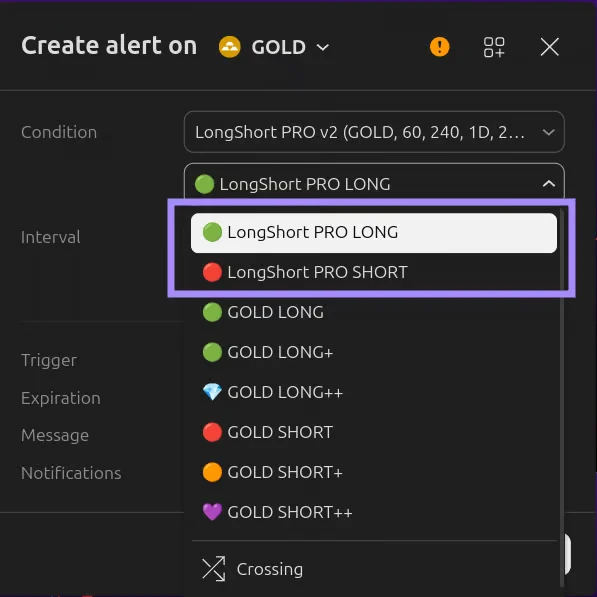
For GOLD V1 and GOLD V2 modes, you can set alerts for individual signal classes: GOLD LONG, GOLD LONG+, GOLD LONG++, and three equivalent SHORT events.
Change the "Trigger" field to "Once per bar close". Then click "Create".
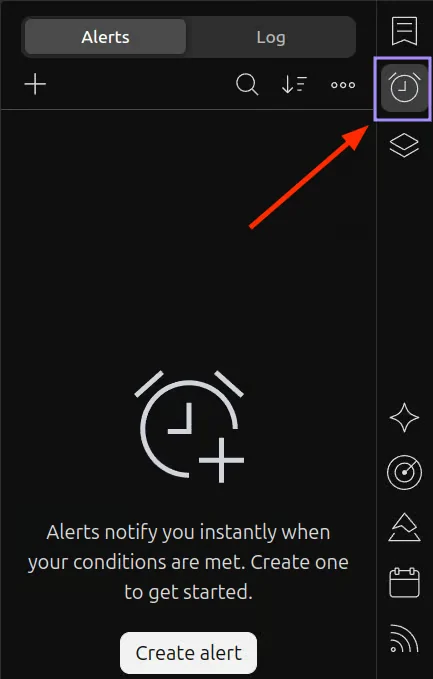
You can track active alerts on the Alerts tab in the top right corner of TradingView.
How to set up alerts in different modes#
| Mode | Alert events |
|---|---|
| Base, Manual Settings, Nasdaq 100 E-mini, BTC+ETH | LongShort PRO LONG and LongShort PRO SHORT |
| GOLD V1/V2 up to 4h inclusive | GOLD LONG, GOLD LONG+, GOLD LONG++ and three equivalent SHORT events |
| GOLD V1/V2 above 4h | Standard LongShort PRO LONG and SHORT, as in Base mode |
After changing settings, timeframe, or indicator version, recreate the alert: TradingView uses the parameters saved when it was created. Hiding drawings on the chart does not disable alerts that were already created.
Official TradingView help on alerts:
https://www.tradingview.com/support/solutions/43000595315-how-to-set-up-alerts/
In the free TradingView subscription, you can create an alert only once. This is a TradingView limitation, not an indicator limitation. If alerts are important to you, consider upgrading your TradingView subscription.